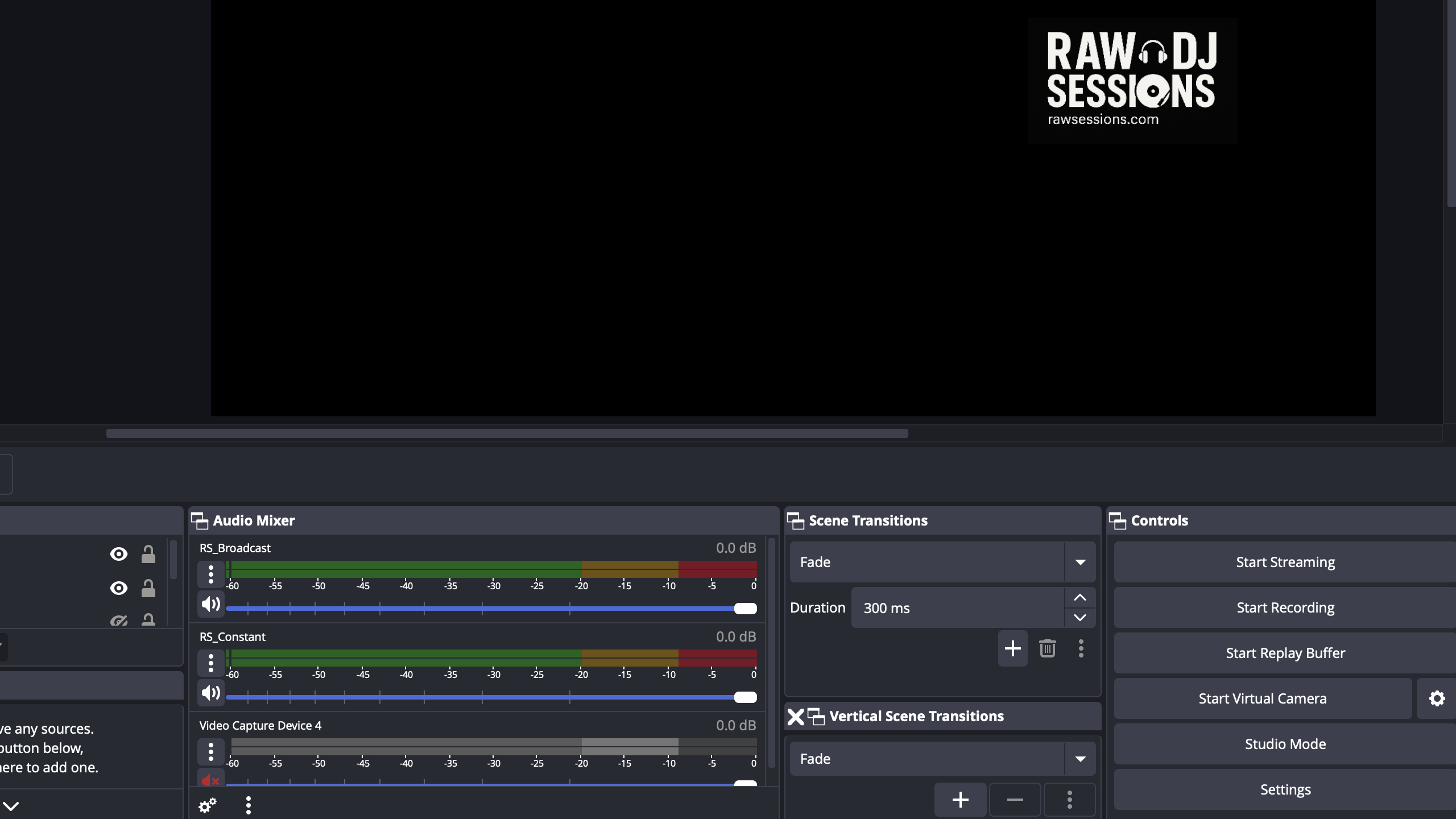
RawSessions live streams use OBS for both streaming and recording. We have experienced numerous issues with OBS and its plugins, but will save some of those issues for other blog posts! This one focusses on a common theme, using the Matroksa recording format (.mkv files), to capture multiple audio tracks.
With OBS, it’s really important to set your baseline configuration for audio and video, and after the baseline has been set, it makes a decent job of recording. We run at 3500mbps video, with key frames every 2 seconds and run 320kbps audio output with 48khz sampling. These settings are accepted upstream by Facebook, Mixcloud, Twitch and YouTube and more importantly, give us a nice recording as well streaming outputs. To that note, we record one constant audio feed from the DJ’s equipment and one broadcast feed, that has ducked audio for the presenter’s microphone. The audio routing (another blog post), is a bit more complex, but the broadcast laptop sees both audio feeds and records both along with video footage, into the .mkv files.
Post recording fun
VLC player is a great way to test the recordings and you can select the audio track you wish to hear. I do a quick run through after each session so I can verify that the recording was ok, but with the most recent show, I’ve started to upload both the broadcast mix (ducked audio with mic) and the constant audio mix, which gives listeners that In the Mix 96 vibe, of constant music without the presenter interrupting with microphone noise.
Extracting the audio tracks is relatively simple and I’ll share the details here, because sharing is caring!
Extraction
We use the command line ffmpeg tool to do the hard work. It can be used to extract the audio tracks, along with encode and trim.
- Exploration
Want to peek inside of the recording? Use the -i switch. It will complain about the output file, but ignore that. Nothing is being changed, ffmpeg is just peeking inside the file.
> ffmpeg -i 2026-03-22\ 15-28-05.mkv

ffmpeg version 8.0.1 Copyright (c) 2000-2025 the FFmpeg developers
  built with Apple clang version 17.0.0 (clang-1700.6.3.2)
  configuration: --prefix=/opt/homebrew/Cellar/ffmpeg/8.0.1_4 --enable-shared --enable-pthreads --enable-version3 --cc=clang --host-cflags= --host-ldflags= --enable-ffplay --enable-gpl --enable-libsvtav1 --enable-libopus --enable-libx264 --enable-libmp3lame --enable-libdav1d --enable-libvpx --enable-libx265 --enable-openssl --enable-videotoolbox --enable-audiotoolbox --enable-neon
  libavutil      60.  8.100 / 60.  8.100
  libavcodec     62. 11.100 / 62. 11.100
  libavformat    62.  3.100 / 62.  3.100
  libavdevice    62.  1.100 / 62.  1.100
  libavfilter    11.  4.100 / 11.  4.100
  libswscale      9.  1.100 /  9.  1.100
  libswresample   6.  1.100 /  6.  1.100
Input #0, matroska,webm, from '2026-03-22 15-28-05.mkv':
  Metadata:
    ENCODER         : Lavf61.7.100
  Duration: 04:40:45.41, start: 0.000000, bitrate: 4147 kb/s
  Stream #0:0: Video: h264 (High), yuv420p(tv, bt709, progressive), 1280x720 [SAR 1:1 DAR 16:9], 30 fps, 30 tbr, 1k tbn, start 0.044000
    Metadata:
      DURATION        : 04:40:45.410000000
  Stream #0:1: Audio: aac (LC), 48000 Hz, stereo, fltp
    Metadata:
      title           : Track1
      DURATION        : 04:40:45.312000000
  Stream #0:2: Audio: aac (LC), 48000 Hz, stereo, fltp
    Metadata:
      title           : Track2
      DURATION        : 04:40:45.312000000
At least one output file must be specified
This session was a long one and we nearly hit five hours! You can see here we have two audio tracks, Track1 and Track2.
Extraction is simple too. Here we extract the first audio track and put into a separate file called audio1.aac. The .aac file type is compataible with most audio services and players, but if you really want to, you can convert to .mp3 by re-encoding the audio file (using libmp3lame). No point when you don’t have to, because the .aac file is directy exportable without any re-encoding (and therefore avoids loss), from the Matroska video container. Just remember that these .aac files are frame based, which is important when it comes to trimming!
ffmpeg -i 2026-03-22\ 15-28-05.mkv -map 0:1 -c copy audio1.aac

ffmpeg version 8.0.1 Copyright (c) 2000-2025 the FFmpeg developers
  built with Apple clang version 17.0.0 (clang-1700.6.3.2)
  configuration: --prefix=/opt/homebrew/Cellar/ffmpeg/8.0.1_4 --enable-shared --enable-pthreads --enable-version3 --cc=clang --host-cflags= --host-ldflags= --enable-ffplay --enable-gpl --enable-libsvtav1 --enable-libopus --enable-libx264 --enable-libmp3lame --enable-libdav1d --enable-libvpx --enable-libx265 --enable-openssl --enable-videotoolbox --enable-audiotoolbox --enable-neon
  libavutil      60.  8.100 / 60.  8.100
  libavcodec     62. 11.100 / 62. 11.100
  libavformat    62.  3.100 / 62.  3.100
  libavdevice    62.  1.100 / 62.  1.100
  libavfilter    11.  4.100 / 11.  4.100
  libswscale      9.  1.100 /  9.  1.100
  libswresample   6.  1.100 /  6.  1.100
Input #0, matroska,webm, from '2026-03-22 15-28-05.mkv':
  Metadata:
    ENCODER         : Lavf61.7.100
  Duration: 04:40:45.41, start: 0.000000, bitrate: 4147 kb/s
  Stream #0:0: Video: h264 (High), yuv420p(tv, bt709, progressive), 1280x720 [SAR 1:1 DAR 16:9], 30 fps, 30 tbr, 1k tbn, start 0.044000
    Metadata:
      DURATION        : 04:40:45.410000000
  Stream #0:1: Audio: aac (LC), 48000 Hz, stereo, fltp
    Metadata:
      title           : Track1
      DURATION        : 04:40:45.312000000
  Stream #0:2: Audio: aac (LC), 48000 Hz, stereo, fltp
    Metadata:
      title           : Track2
      DURATION        : 04:40:45.312000000
Stream mapping:
  Stream #0:1 -> #0:0 (copy)
Output #0, adts, to 'audio1.aac':
  Metadata:
    encoder         : Lavf62.3.100
  Stream #0:0: Audio: aac (LC), 48000 Hz, stereo, fltp
    Metadata:
      title           : Track1
      DURATION        : 04:40:45.312000000
Press [q] to stop, [?] for help
[out#0/adts @ 0xc6cc04a80] video:0KiB audio:658020KiB subtitle:0KiB other streams:0KiB global headers:0KiB muxing overhead: 0.820313%
size=  663418KiB time=04:40:45.31 bitrate= 322.6kbits/s speed=6.78e+03x elapsed=0:00:02.48
Trimming
Next, you’re going to want to trim the file to ensure when your listeners hit play, it starts when the audio starts and also stops on the last audio frame. Consider that video and audio are stored in frames and not ncessarily to the millisecond, so just going to a specific time might not give you the result you desire. We use the mpv player, which gives you a frame by frame measure for playback and it means your trimming can be more accurate. Ensure, that you don’t destroy the source audio file because you might need a couple of attempts at trimming (a la, frame might be the wrong one). This command below, copies the file and is non-destructive.
ffmpeg -ss 01:23:45 -to 02:10:00 -i audio_1.aac -c copy audio_1_trimmed.aac
...
At this point, you have an audio track extracted from the Matroska container and trimmed! Naturally, it will extract what you have recorded, in our case, two individual stereo tracks.
Why share?
RawSessions.com is a non-commercial, community and passion driven streaming radio service. Sharing is caring! We gatekeeper only on passion and quality.
Want to live stream your DJ broadcasts? Say hello on Mixcloud or email us: contact@rawsessions.com.